Updated on: 11 Apr 2025
By: Admin
This page provides detailed information on how to get access to the dashboard and the steps required to activate your account. It also guides you on efficiently managing your own profile and others' profiles based on the roles assigned within the platform. Additionally, you can update your personal information, change your password, and perform other profile-related actions with ease.
How do I create a new account?
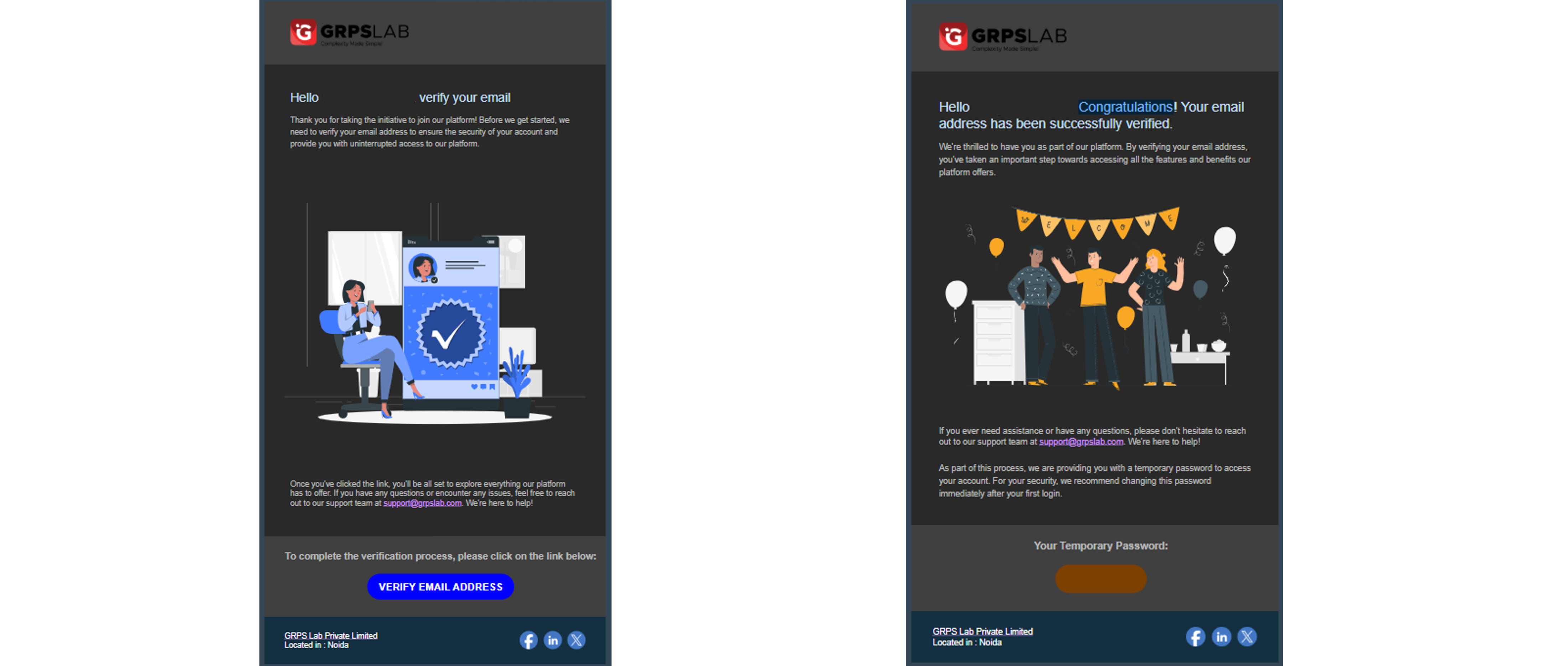
To create a new account, you need to contact the MetrixLab Team. They will send you an invitation via email.
Once you click on the link in the email, you will be redirected to a web browser. There, you will need to select the checkbox and click on the "Activate Account" button.
After completing this step, you will receive another email containing your login credentials. Using these credentials, you can access the dashboard. The dashboard link is: https://goody.ml.visual-insights.io/sign-in.aspx.
How do I recover my password?
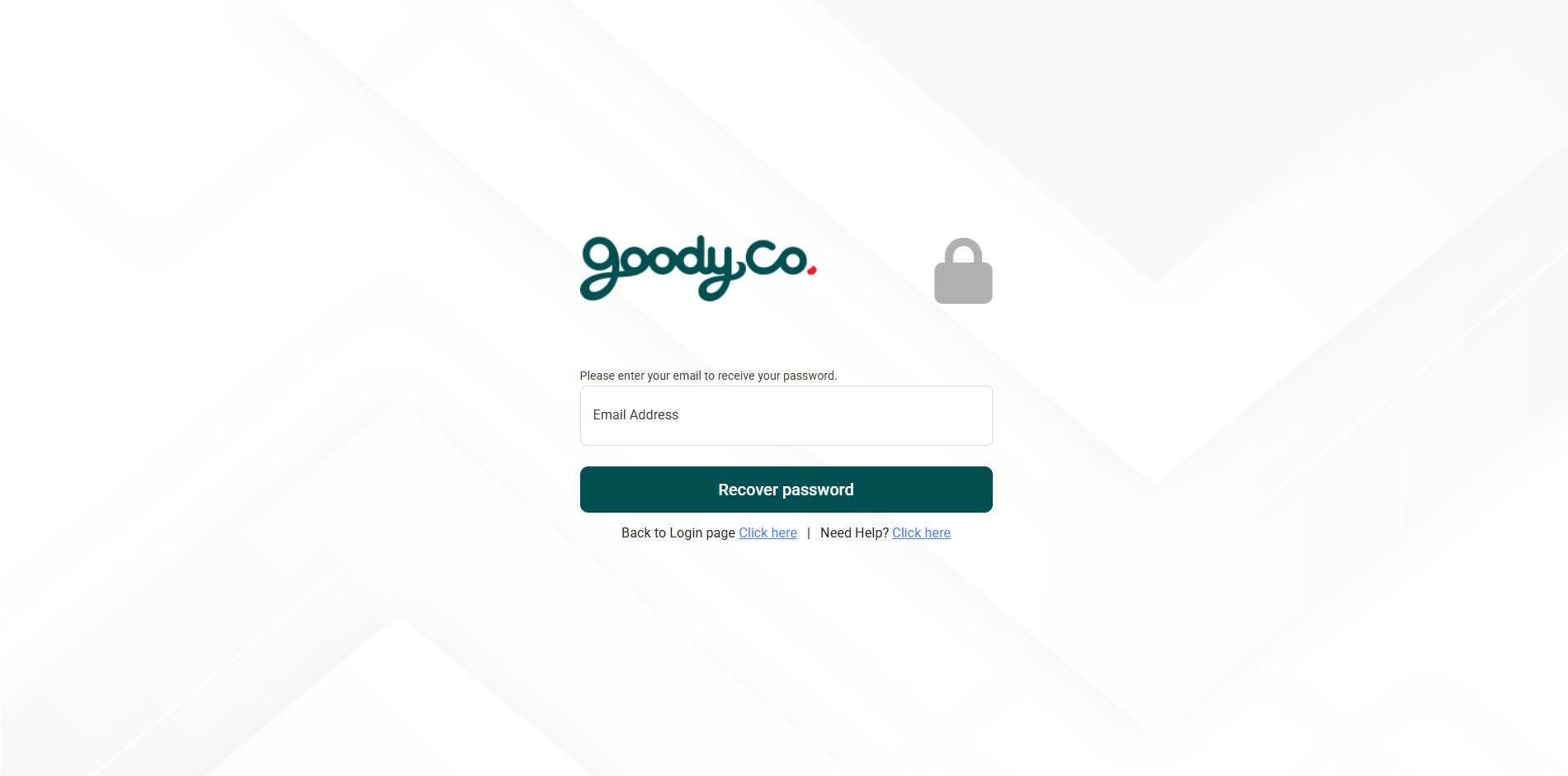
To recover your password, follow these simple steps:
1. Go to the login page and click on the “Forgot Password?” link (ref first image).
2. Enter your registered email address and click “Recover Password” as shown below (ref second image).
3. You will receive an email with your login credentials.
4. While copying your login credentials, ensure not to copy any extra spaces, as this may prevent you from logging in.

How do I reset my password?
After logging in using your credentials:
1. You will see your profile picture and name in the top-right corner of the dashboard (ref first image).
2. Click on your name, and select the “Edit Profile” option (ref first image).
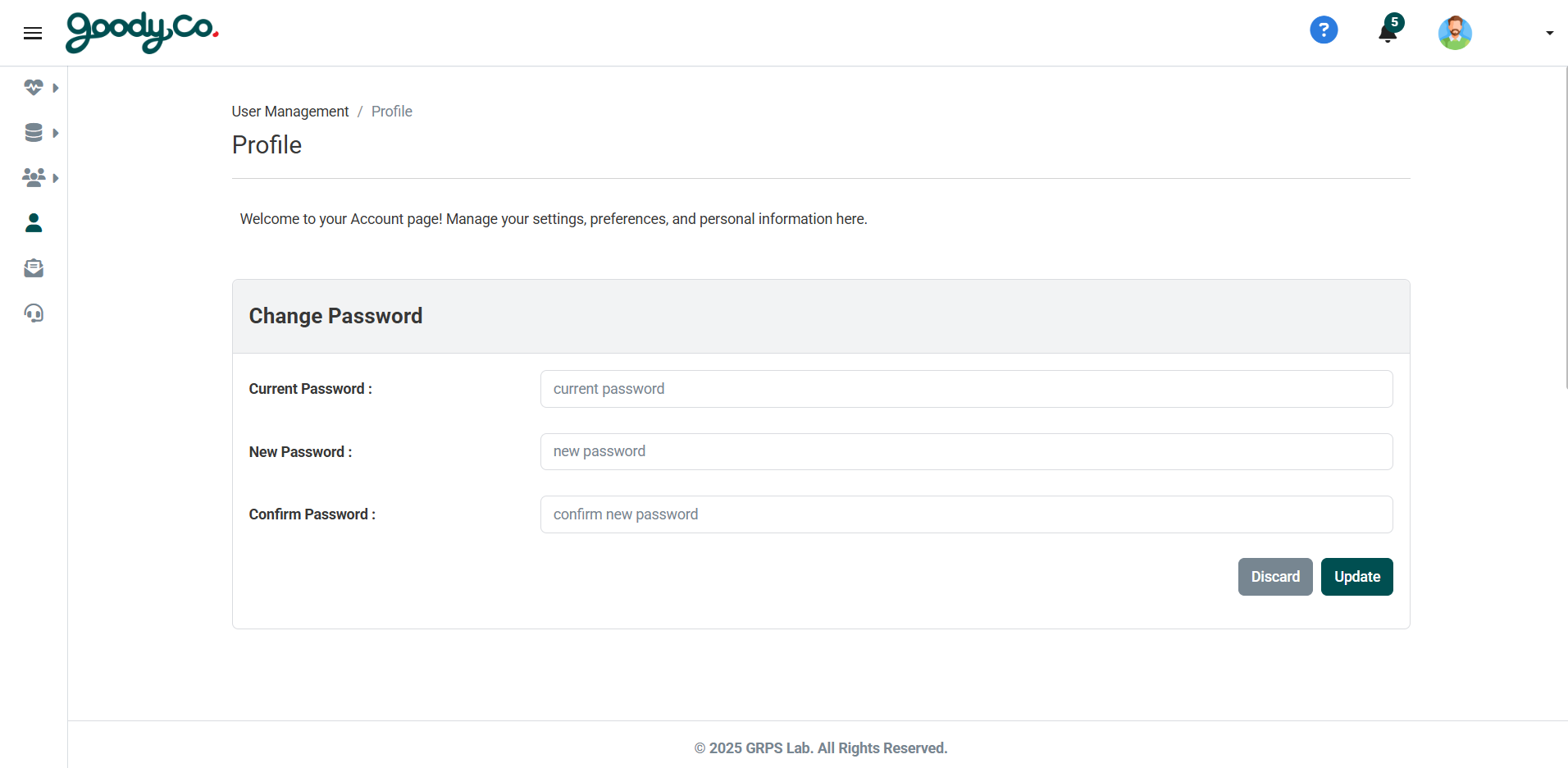
3. You will be redirected to the profile page.
4. Scroll down slightly to find the option to change your password (ref second image).
5. Using this option, you can easily update your password.

How can I update my profile or personal information?
After logging in using your credentials:
1. You will see your profile picture and name in the top-right corner of the dashboard (ref first image).
2. Click on your name, and select the “Edit Profile” option (ref first image).
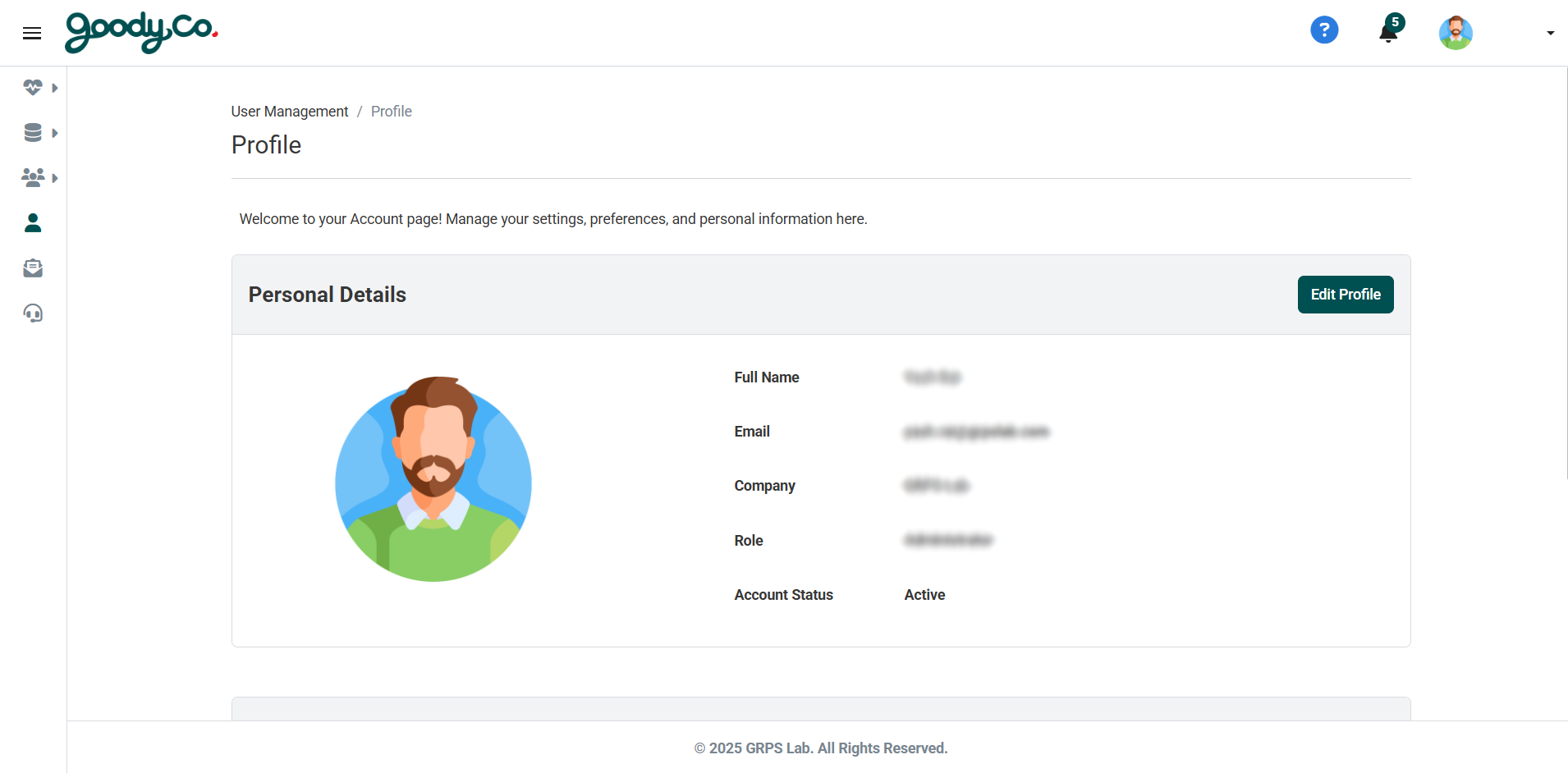
3. You will be redirected to the profile page.
4. On the profile page, you will find an “Edit Profile” option (ref second image), which allows you to update or change your profile details as needed.
How do I delete my account?
This option is not available directly. To delete your account, you need to send an email to the admin team, such as the MetrixLab Team, requesting account deletion.