Updated on: 11 Apr 2025
By: Admin
Dashboard Navigation provides users with an intuitive interface to access key features and insights quickly. It simplifies workflows and ensures a seamless user experience.
What is the layout of the dashboard?
Dashboard Layout Overview:
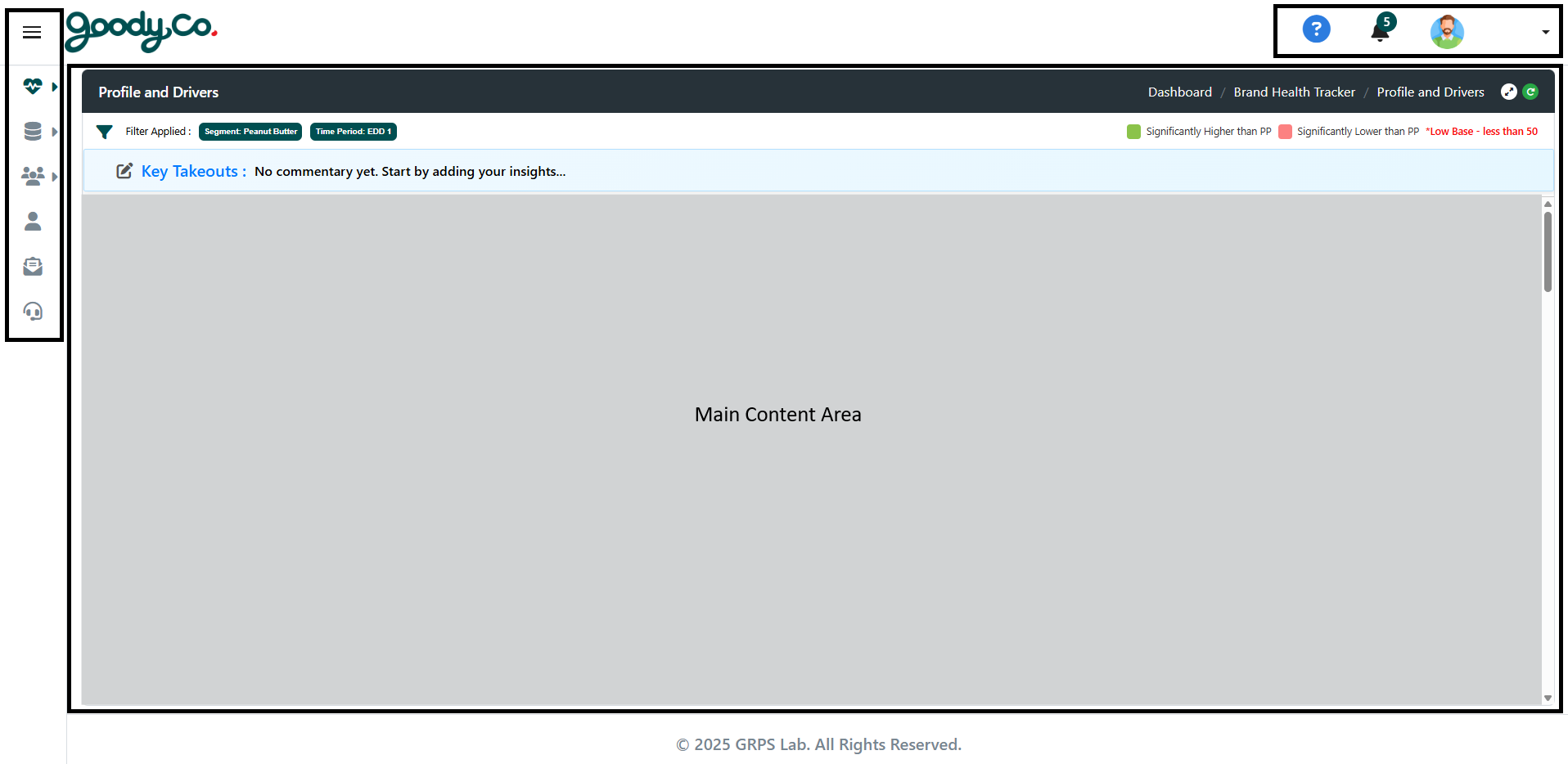
1. The dashboard consists of the following sections:
- Header: Contains navigation menus, profile settings, and notifications.
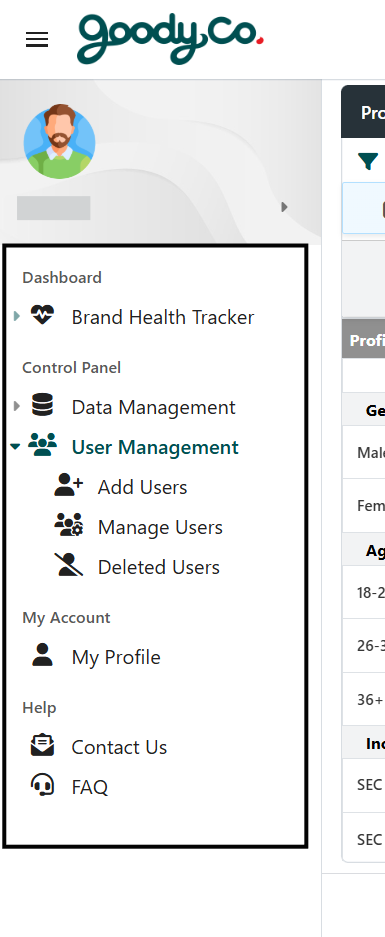
- Sidebar: Provides quick access to:
• Dashboard Navigation section
• Control Panel (includes Data Management and User Management sections)
• Profile settings
- Main Content Area: Displays data and visualizations.
2. Use the sidebar to switch between different modules.
3. The footer contains additional links or relevant information.
How do I access different features in the dashboard?
Accessing Features in the Dashboard:
1. Use the sidebar to navigate to specific sections, including:
- Dashboard Navigation section
- Control Panel (includes Data Management and User Management sections)
- Profile settings.